










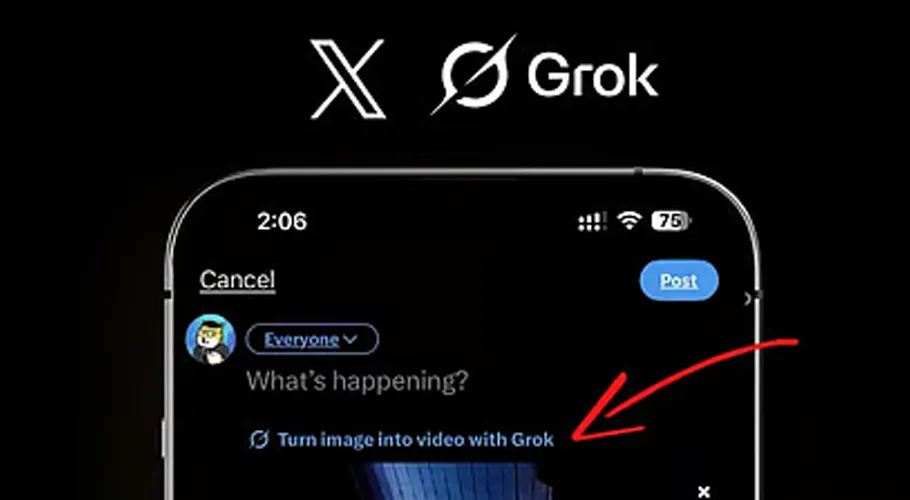
According to the company, after the new update, Grok Imagine can generate videos with clearer visuals, finer details, and stronger audio output. This feature will be made available to users globally across various platforms in the coming days.
With the new feature, users can create longer video clips directly within the chatbot, eliminating the need for additional tools. Following this update, the maximum video duration has been increased to 10 seconds, whereas previously users were limited to videos of up to 5 seconds.
According to xAI, along with the increase in video duration, both video and audio quality have also been improved. However, for now, users do not have the option to manually set the exact video length. The company has hinted at introducing more updates in the future.
This tool is currently available for free through the Grok app and web, and due to its fast video generation capabilities, it is gaining popularity among content creators. Early users describe it as an effective tool for creating quick and creative videos for social media.
How to Create Videos Using Grok Imagine
To create a video using Grok Imagine, users can follow these steps: First, open the Grok chatbot on the X platform or other xAI-supported platforms. Then, enable the Imagine feature for video generation. Next, enter a detailed text prompt describing the full scene, style, and action.
After submitting the prompt, Grok will automatically generate a video of up to 10 seconds. Once the video is ready, users can review the output and modify the prompt for better results if needed.
Finally, the video can be downloaded or shared directly, featuring improved audio and video quality.
Experts say that this new advancement in Grok Imagine is an important milestone in the field of generative video and could bring significant changes to digital content creation in the near future.