










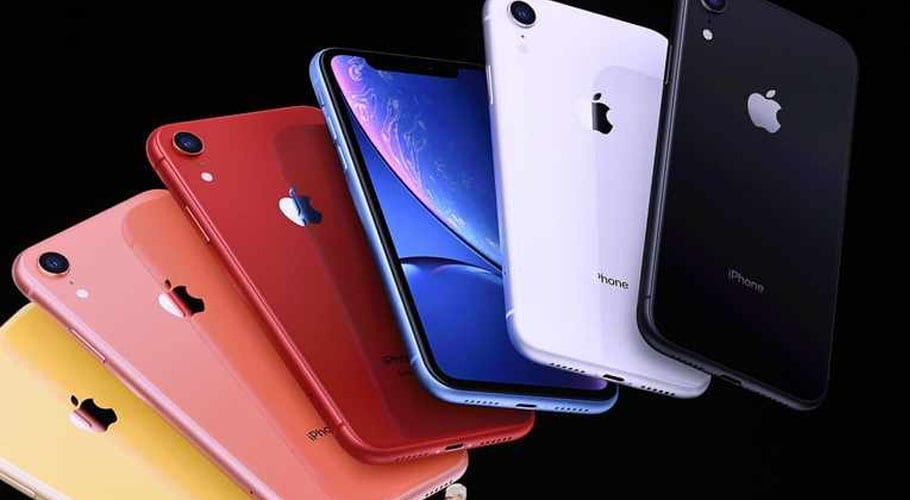
iPhones have become much more than just phones; they are portable computers that we carry around with us. They help us plan our travel, purchase concert tickets, monitor our children, communicate with our boss and doctor via video chat, manage our routes, measure our steps and calories, and more. The list goes on and on.
We can maintain our iPhones’ peak performance in other ways as well. Check out these techniques to boost its performance if yours is starting to feel a little slow.
Update
The reason why it’s the most fundamental and crucial step is because it aids in securing your device. Your iPhone will function at its peak if the software is current. Not everyone is diligent about installing the most recent updates, but you can make it easier on yourself by choosing “On” for Automatic Updates in Settings > General > Software Update.
After a new version is released, you might be hesitant to update and prefer to wait a few weeks so that any flaws can be fixed. However, Forbes advises against waiting too long to update in order to avoid “update fatigue.” 35 security vulnerabilities were resolved in December’s update 16.2, which was made available.
Check storage space
The latest iPhones may feel like they have endless storage space when compared to the previous versions with 16GB of storage, but that is untrue. iPhones are prone to get clogged with unnecessary apps, pictures, and other information over time. According to Apple, their phones require a specific amount of free storage to function effectively.
The manufacturer advises trying to keep at least 1GB of free space for optimal performance. Your smartphone may sluggish down if your available storage is continuously less than 1GB.
You can go to Settings > General > iPhone Storage for your device’s recommendation.
Turn off unnecessary features
The performance of your iPhone will improve if you use Wi-Fi rather than cellular data whether you’re at home or at work and have a strong Wi-Fi connection. Nevertheless, when you’re out and about, you may increase the efficiency of your iPhone by disabling unused features like Bluetooth, Wi-Fi, and Location Services.
Get in the habit of turning the Wi-Fi back on when it’s accessible by going to the Settings menu and selecting the functions you want to disable.
Disable background app refresh
Even when you aren’t using your phone much, you could occasionally notice that the battery drains more quickly than usual. You may have programs running in the background, which is one possible explanation. These apps will drain your battery and slow down your phone if they map or geolocate you.
You can manually swipe up and close apps you aren’t using, or you can go to Settings > General > Background App Refresh and turn it off for all the apps you don’t need running in the background.
Adjust visual effects and animations
On older devices, reducing the motion of visual effects and animation can free up a lot of processing power. If you need more speed from your phone, head to Settings > General > Accessibility and then scroll down to Reduce Motion. Turning this setting off should lead to an immediate reduction in processor demand.
Keep your apps updated
You might think you download an app once and that’s it, but outdated apps can contribute to slow performance on your iPhone (in addition to posing security risks). It’s essential to regularly check for iOS system updates, as well as updates from individual apps. Apple makes it easy to update apps. Go to the App Store on your phone and you’ll see Updates in the sidebar. From there, you can select individual apps to update or you can choose to Update All.
Delete or offload any unused apps
There’s no need to hold on to apps you don’t actually use, and deleting unused apps can help keep your phone running efficiently. You can go through your phone and remove any app you don’t regularly access by holding down the icon until it wiggles.
For a deeper look into your usage, you can go to Settings > General > iPhone Storage to review a list that shows you the last time you used each app and how much storage each one consumes, which will help you decide what you want to offload or delete.
Select the manual backup option in iCloud settings menu
This one is tricky, because it puts the onus on you to remember to back up your phone. But having your phone set to automatically back up to iCloud takes resources from your device, and for many of us, it’s not always necessary. Go to Settings > iCloud > Backup, and switch the backup mode from “Automatic” to “Manual.” This will help you take better control of when and how often your phone is backing up, improving performance in the long run. Just don’t forget to back up your information!
Enable Low Power Mode only when necessary
You may have noticed that your iPhone switches to Low Power Mode when your battery drops below 20%. This is a good feature for extending your battery life, but it’s not great for performance. “Low Power Mode disables some important features and slows down your iPhone,” said iOS expert Monserrat Cancino of Tech Detective. “Only use if your battery is below 20%.”
Avoid extreme temperatures
If you bring your iPhone on outdoor adventures where temperatures are extreme, it affects your device’s performance and permanently shortens battery life. “This happens because your device needs to work much harder to regulate its internal temperature,” Cancino said. “Try using your iPhone only when the temperature is between 32 degrees to 95 degrees Fahrenheit, and don’t leave it outside if it’s below freezing or very hot.”
If you want to bring your phone to the ski slopes, it’s probably best to get a locker and leave it in the lodge. If you bring your iPhone to the beach, keep it in the shade and as cool as possible.
Check Location Services
When you download a new app, you’ve probably noticed that it asks if it can have permission to track your location. Although this has some benefits in terms of convenience, it can also reduce your battery life and affect your iPhone’s performance. Besides, for security reasons, you don’t need any app to track you all the time.
Restart your iPhone
Sometimes, the best fix is the simplest, most obvious one. If all else fails, a simple restart may help improve the performance of your device.