











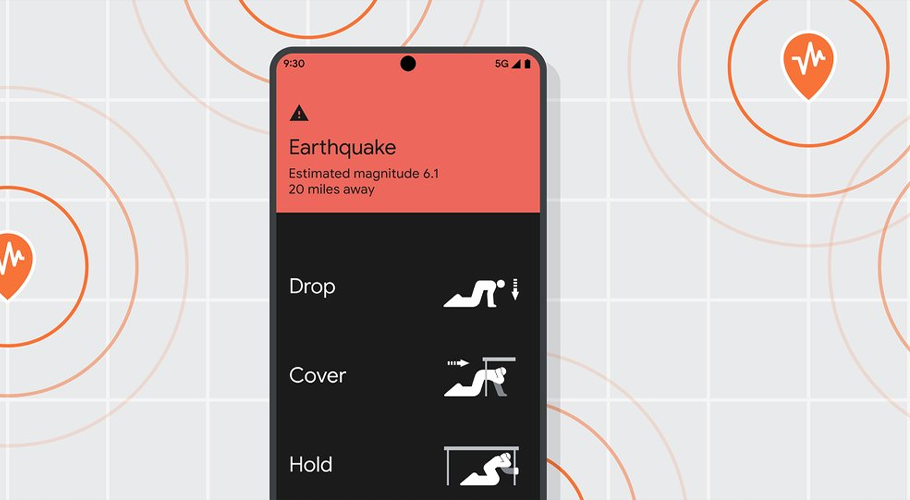
Earthquakes, without a doubt, are one the scariest natural disasters that can strike anywhere without warning, posing a serious threat to people around the world.
While it is impossible to predict, Google’s Android Earthquake Alerts System gives users several seconds of crucial forewarning-often enough to move to safety, take cover, or avoid danger areas.
Introduced globally in 2021, this feature leverages sensors in Android phones to detect earthquakes automatically in real time. According to Google, the system to date has detected and issued alerts for more than 2,000 earthquakes and issued over 790 million warnings to users around the world, sometimes with as much as 10 to 60 seconds of advance notice before strong shaking.
How the System Works
When earthquake hits an area, phones, equipped with motion sensors, detect the initial P-wave, described as the faster, but less damaging wave. These phones send anonymous data to Google’s servers, including rough location. The system analyzes signals received from multiple phones to confirm the quake’s magnitude and location. Once it is verified, alerts are then sent to users around the area before the much slower, more destructive S-wave strikes the area.
There are two types of alerts:
- Be Aware – for light tremors.
- Take Action – for stronger shaking, accompanied by a loud sound and full-screen warning.
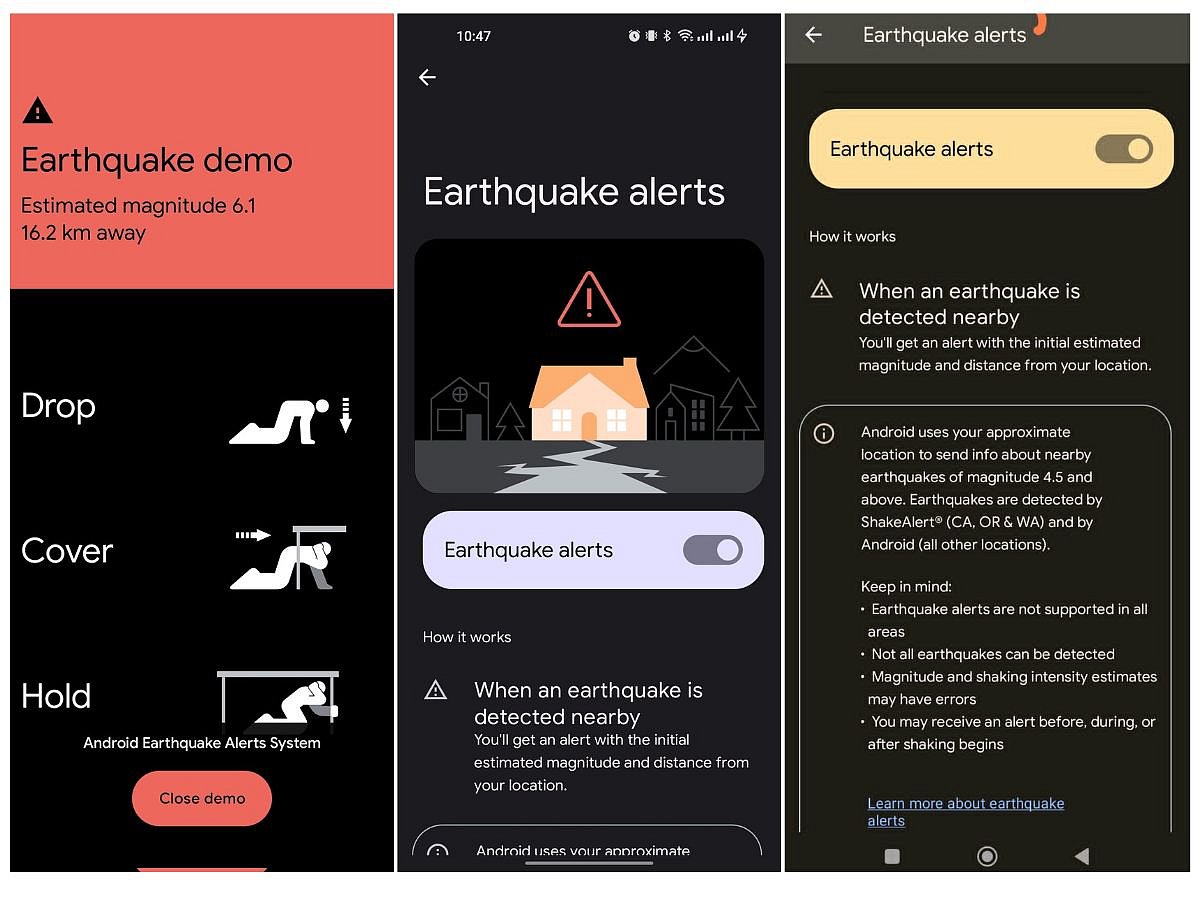
Users need Wi-Fi or mobile data to obtain the alerts. They also are required to turn on Location and Earthquake Alerts in their settings. Users who do not want notifications can disable them at any time.
Your Android phone can now detect earthquakes and help you get timely earthquake information on Google Search. Hear lead engineer, Marc Stogaitis, explain how the new detection system works. Learn more: https://t.co/0tYtYpRYfr pic.twitter.com/7uPeZJF1HZ
— Android (@Android) August 11, 2020
How to Enable Earthquake Alerts on Android
- Open the Settings app on your Android device.
- Scroll down to Safety & Emergency → Earthquake Alerts. If you can’t find it there, go to Location → Advanced → Earthquake Alerts.
- Switch on earthquake alerts.
- Click the Demo option to activate the alert sound and on-screen message.